
September 23, 2026
Slack Integration Guide
Overview
Connect AEOTrack to your Slack workspace to receive real-time updates and score drops directly in your preferred channels.
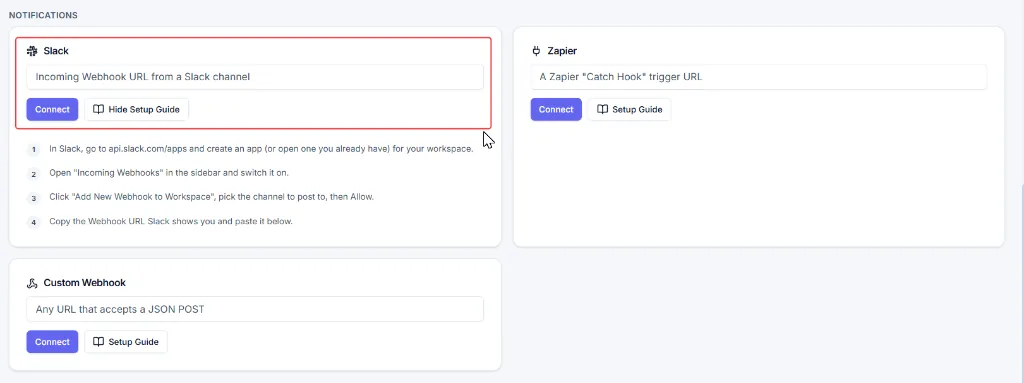
Step-by-Step Setup Guide
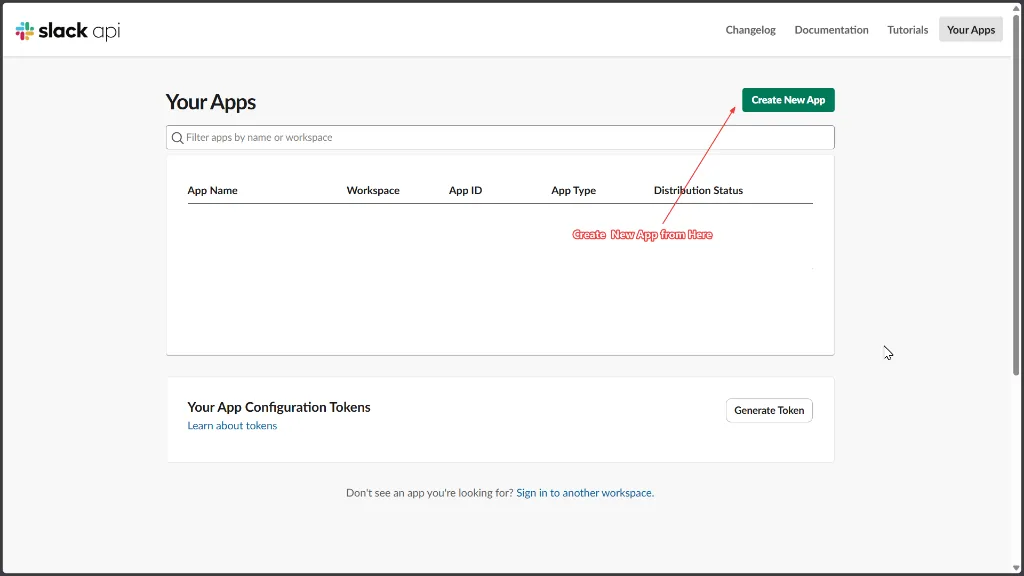
- Go to api.slack.com/apps.
- If you already have a Slack app, open it. Otherwise, click Create New App.
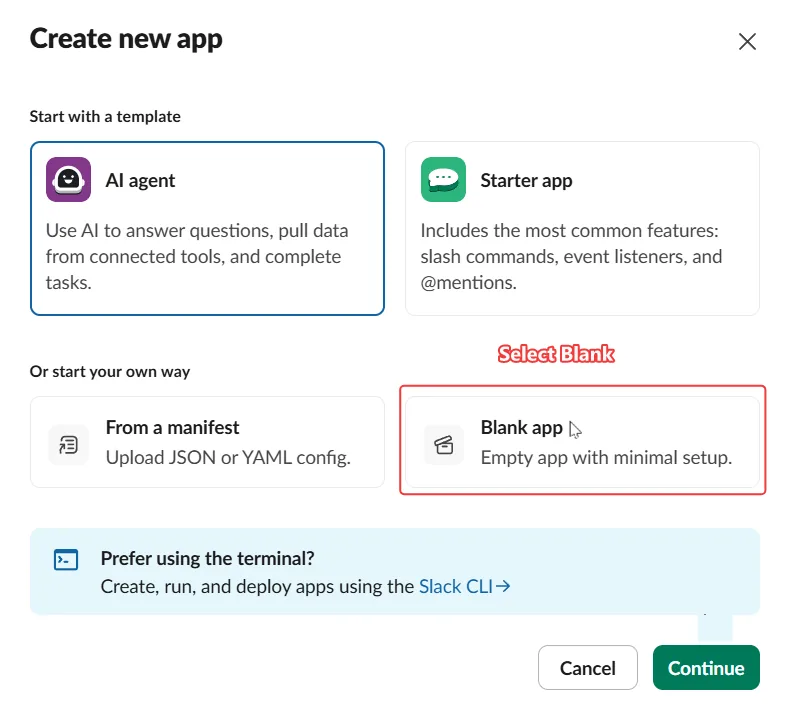
- Select From Scratch (or Blank app).
- Enter an app name.
- Under Pick a workspace to develop your app in, select your Slack workspace and click Create App.
- From the left sidebar, open Incoming Webhooks.
- Turn on the Activate Incoming Webhooks toggle.
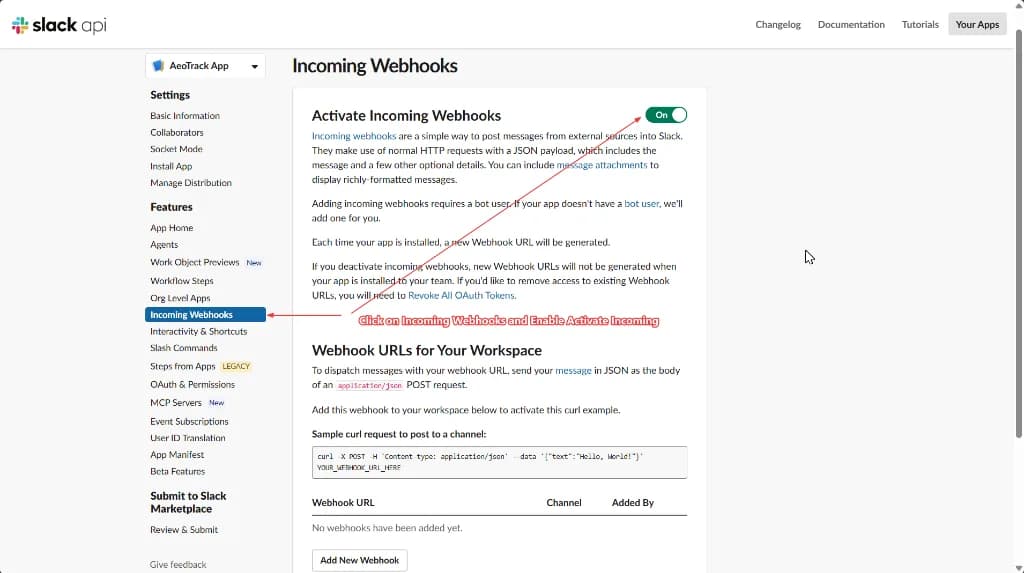
- Click Add New Webhook to Workspace.
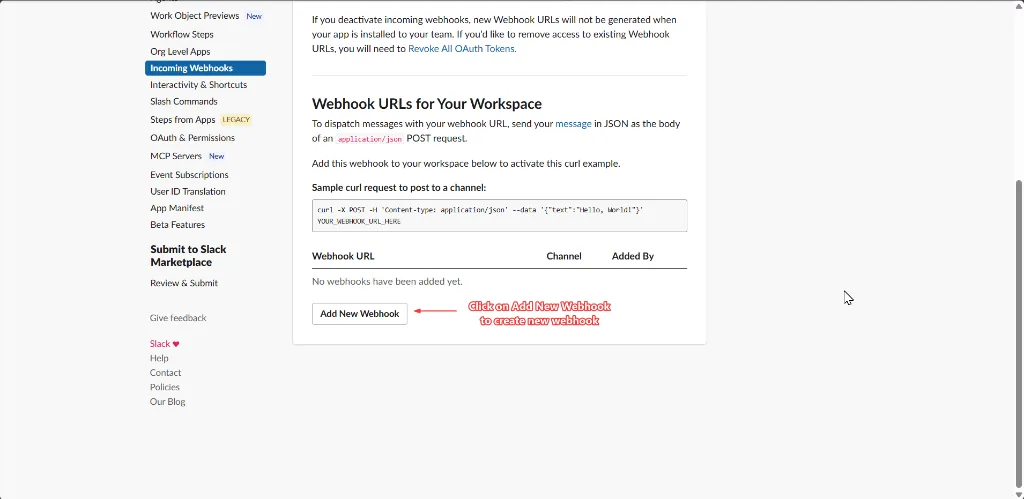
- Allow the Cogitix app to access your Slack workspace.
- Select the Slack channel where you want to receive notifications and click Allow.

- You will be redirected back to the Incoming Webhooks page.
- Locate the webhook that was created and copy the webhook URL.
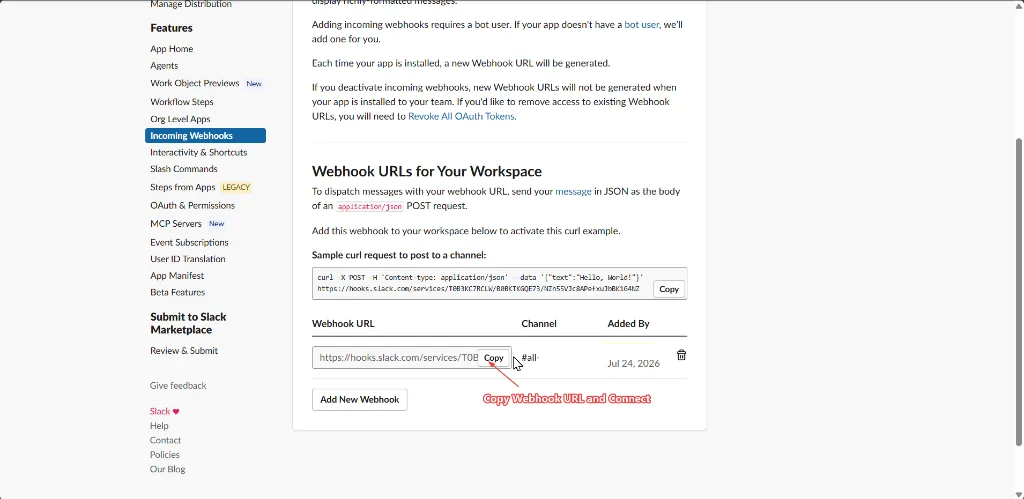
- Paste the copied webhook URL into the Slack card under Integrations and click Connect. Use Test on the card to post a test message.
Your Slack integration is now connected, and notifications will be sent to the selected Slack channel.
What arrives in the channel
The Integrations connection posts when a website's AEO or GEO score really drops — a fall that is outside the score's confidence range, so a Slack channel never fills with noise. Improvements and routine check completions are not posted to Slack; the weekly digest and email alerts carry those. The Slack card is on Pro, Agency and Enterprise.
You can also add a Slack rule with its own point threshold under Settings → Automation → Alerts; the Automation guide explains how the threshold and the confidence range work together. Microsoft Teams has its own card: see Microsoft Teams, custom webhooks and Zapier events.